विशेष लेख
Easy Anime Landscape Drawing
This time, I’m going to create a simple anime-style landscape illustration. For this piece, I aimed for a much simpler art style than my usual work, and I hope it will be useful for you. Before diving into the drawing process, there are a few key points to keep in mind when creating landscapes.
Ethan Cole
लेखक
लेख परिचय
नीचे पूरा लेख पढ़ें।
अनुभाग
समाचार
This time, I’m going to create a simple anime-style landscape illustration. For this piece, I aimed for a much simpler art style than my usual work, and I hope it will be useful for you. Before diving into the drawing process, there are a few key points to keep in mind when creating landscapes.
1. Clarify Your Concept
Before putting pencil to paper, spend some time brainstorming your idea. Decide what you want your canvas to convey. Is it a fantasy setting, cyberpunk city, medieval village, or something else? Having a clear concept will guide your design choices.
2. Plan Your Composition
There are many ways to arrange a landscape, but for this tutorial, I’ll demonstrate using the rule of thirds. You can check my video to see an easy method for applying a rule-of-thirds grid to your canvas.
With this technique, allocate roughly two-thirds of your canvas for the main subject, leaving the remaining one-third for supporting elements. This balance helps create visual interest and focus.
3. Make a Thumbnail Sketch
Start with a small thumbnail sketch to explore your idea quickly. Zoom out your canvas and project your concept to see how it will appear overall.
Thumbnail sketches are simple and beginner-friendly; you don’t need a lot of detail at this stage. Focus on layout and major shapes rather than precise details.
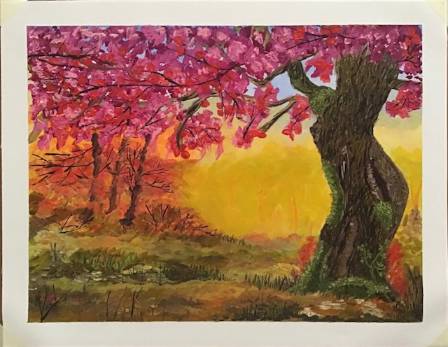
4. Divide Your Canvas into Foreground, Midground, and Background
Breaking the canvas into three planes helps you manage values and depth. Objects farther from the viewer should have lighter, more faded colors, while closer objects can be darker and more saturated.
5. Use Reference Material
References are a great tool to guide your drawing. They help you understand the colors, textures, and shapes of the elements you want to include. Using references ensures your final piece matches your vision more closely.
6. Start Drawing
I recommend watching my speedpainting video for a visual guide.
Begin with a rough sketch, then create the line art.
Add base colors, and consider keeping them organized in a separate folder. For the sky, using a gradient tool works well.
Add cloud details using a dedicated cloud brush (ID: 1723992).
Set the base color folder to multiply mode to enhance shading.
Layer in textures and shading to bring objects to life.
Add lighting: create a new layer, set it to “Add Glow” mode, and use an airbrush to emphasize light areas.
Enhance with more detailed lighting effects like flares.
Apply final touches, such as filters, color adjustments, or extra effects to enrich the scene.
And… that’s it!
I hope these tips help you in your own anime-style landscape creations.